Scrabble Word Finder browser extension
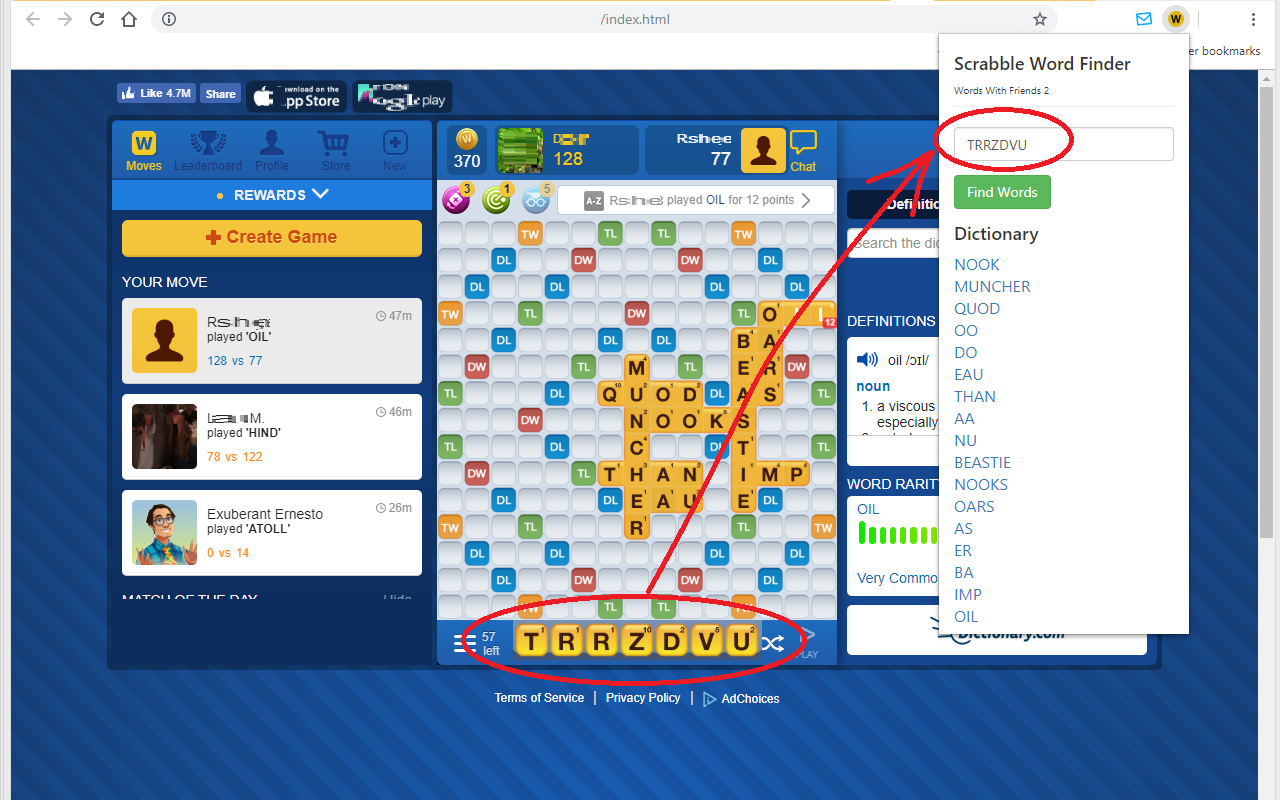
The extension reads the tiles on your rack straight from the game and finds what you can play, so you do not have to retype seven letters into a search box.
What it does
- Reads your rack from the game page and fills it into the finder automatically.
- Shows playable words without leaving the game.
- Shows words you could play if you had one more letter — useful for spotting a seven tile bonus that is one tile away.
- Links every word to its dictionary page, so you can check it before playing it.
Where to get it
Scrabble Word Finder in the Chrome Web Store
After installing it for the first time you may need to close and reopen the browser before it starts working on an already open game tab.
What is coming
The current version reads your rack. The next one reads the whole board — which tiles are placed where, and which premium squares are still free — and works out which move scores most from the position you are actually in. Finding words from your letters is the easy half of the problem; deciding where to put them is the half that wins games.
That difference is larger than it sounds. A word finder gives you a list and leaves you to find somewhere to put it; a board solver gives you a move: this word, in these squares, for this many points, counting every cross-word and every premium square it touches. Two players with the same rack and the same list can score forty points apart, and the gap is entirely in the placement.
What it can and cannot see
Worth being precise about, because browser extensions have a reputation and mostly deserve it:
- It reads the game page only when you click the extension icon — not in the background, and not on other tabs.
- It sends the letters and the board layout to this site to be solved, and nothing else.
- It does not read your account, your messages, or any page you have not asked it about.
- It has no list of game addresses baked in, which means it keeps working if a game moves to a new domain.
Common questions
Does it work on mobile? No. Chrome on Android and iOS does not run extensions. On a phone, use the site itself — the finder and the Words with Friends page are built mobile first.
Is using it against the rules of the game? Against a human opponent who is not doing the same, it is a one-sided game rather than a fair one. Against an app opponent, or when you are reviewing a finished game to see what you missed, nobody is harmed. That is a decision for you, not for us.
Do I have to keep it updated? Yes, and this matters more than usual right now: this site is being rebuilt, and the address the extension talks to is changing with it. Chrome normally updates extensions on its own, but not instantly. If yours suddenly stops finding words, check for an update before assuming the site is broken.
Which games does it support? It looks for a rack on whatever page you point it at rather than checking a list of addresses, so it works wherever it can recognise one. If a game you play is not supported, tell us which one and we will look at it.